Types of network cards
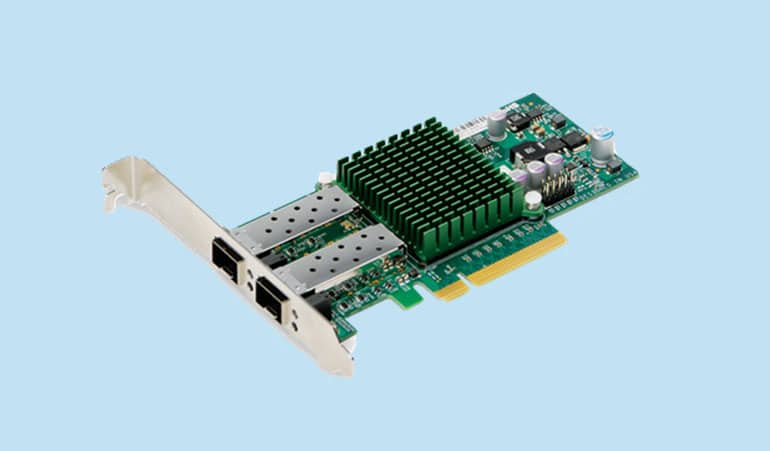
A network card is also known as a network interface controller, network adapter, or LAN adapter. In general, there are two main types of network cards: wired and wireless.
– Cable network card (Ethernet):
In this model, you need to connect a network cable to the Ethernet card. The other side of the cable to connect to the network can be connected to the network switch; or to your modem or router so that you can connect to the Internet and transfer data. Cable communications use a standard interface known as RJ45 connector, which is the most well-known Ethernet LAN technology. (RJ stands for Registered Jack.)
Ethernet connection
One of the most used network connections for personal computers is Ethernet. In fact, Ethernet is a standard for computer network technologies that describes both hardware and communication protocols. Ethernet was introduced in 1980 and quickly replaced the old existing wired network technologies.
Since Ethernet became widely used, most modern computers have an Ethernet network card on their motherboard’s PCI port, and there is no need for a separate network card unless other types of networking are to be used. Modern network cards provide more capabilities for a computer.
– Wireless network card:
Wireless network cards use antennas to receive wireless signals through radio frequency waves. To connect to the Internet through wireless network cards, after inserting the network card, separate settings are required on your computer. Wireless network cards are also divided into two types:
USB wireless network card:
These network cards connect you to the network through the USB port.
PCI wireless network card:
This network card model is placed in one of the empty slots behind your computer. Some of these models have external antenna and some without antenna.
From the point of view of installation, network cards are divided into two types:
Plug-and-Play network card:
As the name of this network card suggests, by connecting the network card to the PCI port of the computer, the process of identifying and installing the network card starts automatically without the need for special software. Of course, there is also the possibility of manual settings for the network card according to the manufacturer’s instructions. (It should be noted that in this network card model, the automatic settings are in the most optimal possible state and there is no need to change the settings manually.)
Configurable network card with software:
Some of these network cards require manual settings that are configured and set up by the software and guidance provided by the network card manufacturer.
According to the explanations given about your service network cards, Lan Iran team is proud to accept all suggestions and corrections in this field in order to satisfy its customers.
If you want to see the types of network cards available in the Lan Iran store, you can go to the network card page on the Lan Iran website and contact our experts for more information.